01
Local-first by default
Nothing is stored on our servers. Clips stay in your browser unless you explicitly send them.
 LLM Clip
Capture the current browser state, isolate the important region, and annotate what matters so an AI coding agent sees the exact issue you see. LLM Clip keeps the evidence local unless you explicitly send it.
The goal is not filing a bug report. The goal is showing Claude or Codex exactly what broke.
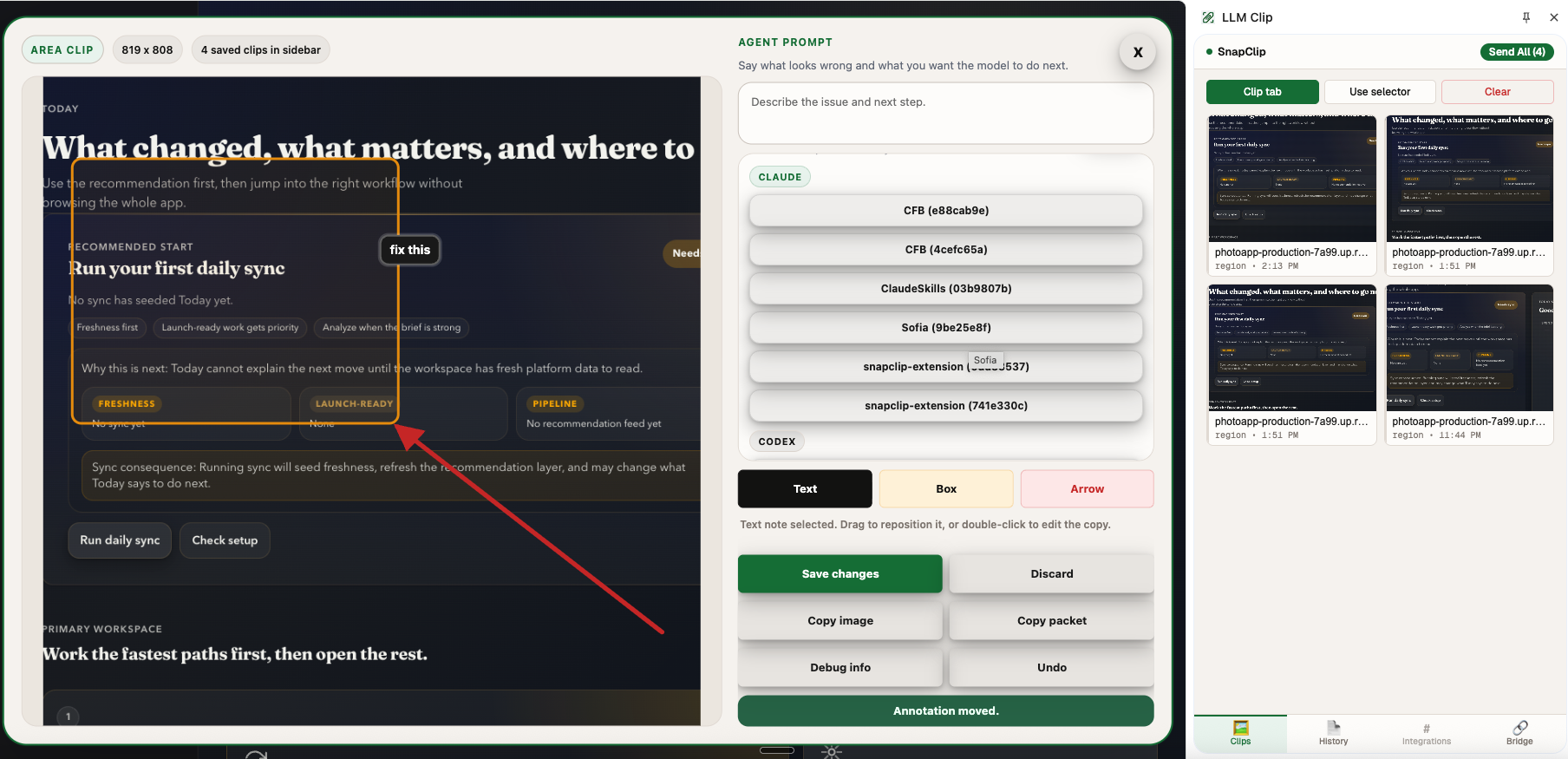
Agents still need to be shown what matters. LLM Clip keeps the visual evidence front and center, then adds arrows, boxes, notes, and compact context so Claude or Codex spends less time guessing.
The result is a faster handoff: one clear packet instead of a vague screenshot and a long explanation.
Frontend bugs are rarely just “the button looks wrong.” They live in the current browser state, and agents still need to be shown what matters. LLM Clip helps you do that once, clearly.
No bug tracker posture. No team workflow baggage. No cloud account required for v1. Just capture, annotate, and send the evidence into the Claude or Codex session you already use.
Clips and packets stay on your machine unless you explicitly send them. LLM Clip does not run a cloud screenshot service. The optional localhost bridge exists to hand evidence to your own Claude or Codex workflow, not to mirror your browsing history into a remote dashboard.
The short version: LLM Clip helps you show Claude or Codex the exact UI bug you see, without turning your screenshots into a cloud service.
LLM Clip is a local-first Chrome extension that helps you capture a UI bug, annotate what matters, and send a clean packet to Claude or Codex.
A normal screenshot leaves the model guessing. LLM Clip lets you isolate the exact region, add arrows, boxes, and notes, and attach lightweight page and runtime context when it helps.
No. LLM Clip is local-first. Clips stay on your machine unless you explicitly copy or send them.
Yes. LLM Clip is built to hand off UI evidence to Claude or Codex. You can copy the packet or send it through the optional local bridge to an existing local session.
No. Core capture, annotation, and copy workflows work without the bridge. The bridge is only needed for direct local Claude or Codex handoff.
LLM Clip is for frontend engineers, design engineers, solo builders, and indie developers who already work directly with Claude or Codex.
Short practical guides for using LLM Clip with Claude and Codex.
A simple walkthrough for capturing the exact browser state, annotating the issue, and handing a clean packet to Claude.
Why boxes, arrows, and a short note outperform vague screenshots when you want Codex to fix a UI bug.
A quick explanation of why human-directed evidence beats raw screenshots when working with AI coding tools.